
Close

Apple iOS Users: 1.First, check to see that Bluetooth is turned on: open the settings icon:

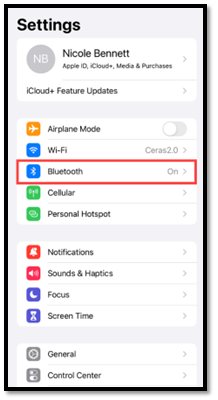
2.Locate Bluetooth, it will be the 5th item listed in the settings:
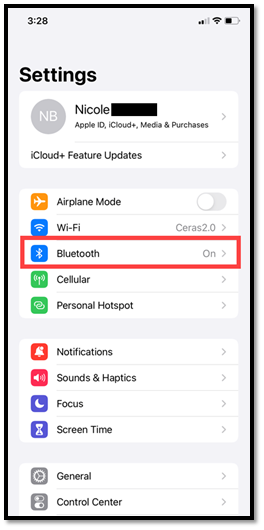
3.If Bluetooth is off, it will be displayed as “Off”:
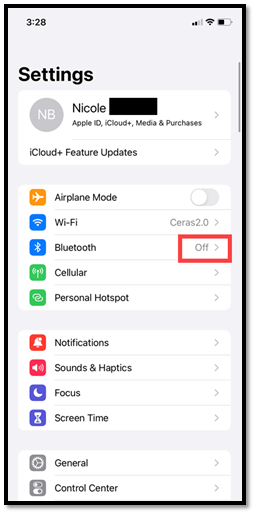
4.To turn Bluetooth on, tap into “Bluetooth” and then tap the greyed out toggle:
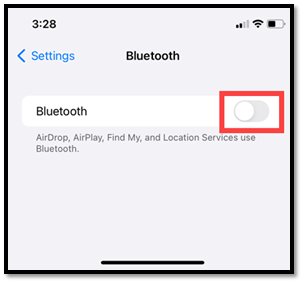
5.Bluetooth will now be turned on:
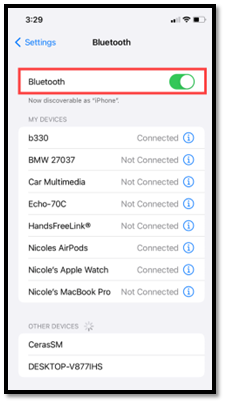
6.Back in the settings screen, Bluetooth will now be on:
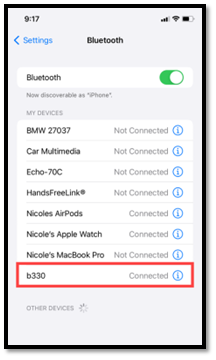
7.If Bluetooth is turned on, but the device is still not connecting, locate the device name on the Bluetooth settings. Depending on the device, it will be listed as “B” with a series of numbers following:
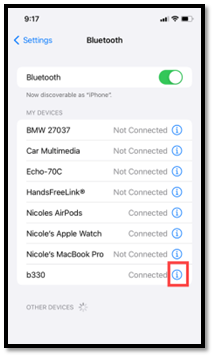
8.Tap the information icon to open details about the device:
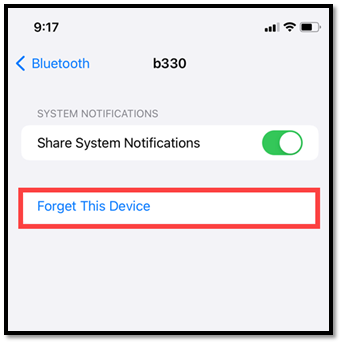
9.Next, tap Forget This Device:
10.Go back to the Ceras Mobile App and read the device
